How Do I... Record Family Stories Without Waiting Until I Have the Right Equipment?
The biggest reason families never record stories isn't lack of interest. It's equipment paralysis. This guide cuts through it with a clear comparison of free apps, paid transcription tools, and physical microphones so you can start recording today with what you already have.

How Do I Record Family Stories Without Waiting Until I Have the Right Equipment?
Here's how most recording projects start: you decide you want to capture your parent's or grandparent's stories properly. You look into microphones. You find a few that seem good, then a few threads comparing them, then a rabbit hole of podcast setups and audio interfaces that have nothing to do with recording Grandma talking about her childhood. Two hours later you've learned a lot and recorded nothing.
Equipment paralysis is one of the main reasons these recordings never happen. The other is a version of the same problem: you search for recording apps, find a dozen options with different features and pricing structures, and decide to figure it out later. Meanwhile, time keeps passing.
This guide cuts through both of those loops. It'll tell you what you actually need, which free options work in 2026, when a paid transcription service is worth it, and when a $60 microphone makes a real difference. By the end, you won't have a reason to wait.
A Note on Privacy Before Anything Else
You're going to be recording personal, irreplaceable family conversations. That makes it worth knowing that several well-known transcription apps have been shown to use recordings and transcripts to train their AI models, often without clear opt-out options for free users. Otter.ai is currently facing a federal class action lawsuit over exactly this. Notta has no opt-out for free users whose transcripts feed its model training.
None of the apps recommended in this guide have those practices. Where data handling policies are relevant, they're noted.
Start With What's Already on Your Phone
Before you download anything, there's a strong case for using your phone's built-in recorder, and it's stronger than most people realize.
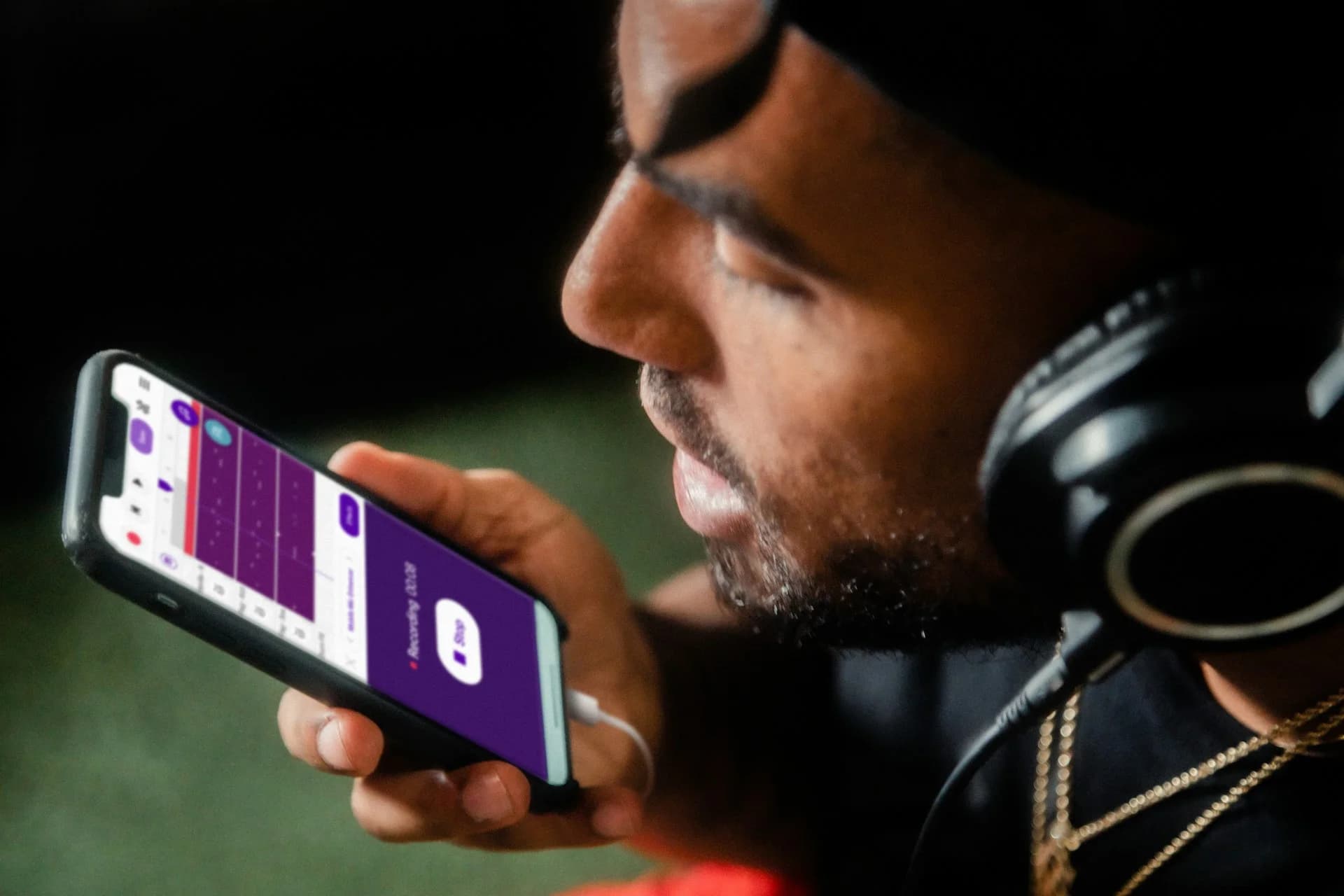
If you have an iPhone running iOS 18 or later (iPhone 12 or newer), Apple's Voice Memos app already does more than most people know. It records high-quality audio, transcribes automatically on-device without sending anything to a server, and the transcript is searchable within seconds. It's completely free, requires no account, works offline, and your audio never leaves your phone. Accuracy on a clear, quiet, single-speaker recording runs around 85-90%, good enough for a family conversation where you'll be listening back anyway.
If you're on Android and have a Google Pixel 6 or newer, the built-in Recorder app does essentially the same thing. Real-time on-device transcription, speaker labeling, local storage, updated as recently as May 2026. Most Pixel owners don't realize they already have one of the best recording tools available on any phone.
The fastest way to start recording today: open Voice Memos (iPhone) or Recorder (Pixel), set the phone face-down on a flat surface between you and the person you're talking with, and start a normal conversation. Face-down reduces handling noise and keeps the mic close to both voices without looking like a formal setup, which matters because formal setups make people self-conscious.
Best Free Apps for Recording Only (No Transcription)
If you just want to capture the audio now and deal with transcription separately, or not at all, then these are the cleanest options in 2026. All record locally to your device with no cloud upload required, so there's no exposure to third-party data handling.
iPhone: Apple Voice Memos
Still the cleanest option for iPhone users who want to record and nothing else. No account, no ads, unlimited length, files stay on your device, and it exports standard M4A audio that any other app can open. If you're on iOS 18 or later, the built-in transcription is a bonus you can use or ignore. Rated 4.8 on the App Store and updated throughout 2026. There's no better starting point for iPhone.
Android (Non-Pixel): Easy Voice Recorder
Easy Voice Recorder by Digipom is the most consistently recommended recording-only app for Android users who aren't on Pixel. It records to PCM, MP3, or AAC, supports background recording (you can lock your screen mid-session), includes a widget for one-tap recording from your home screen, and keeps everything local on your device by default. The free version is genuinely complete for family recording purposes. It holds a 4.5 rating on Google Play and received a hotfix update for Android 16 compatibility in 2026. The Pro version ($3.99 one-time) adds cloud backup and additional formats if you want them, but it's not necessary to start.
Best Options for Transcription
Getting a text transcript of a recording is genuinely useful: it makes the conversation searchable, shareable and much easier to quote from years later. But not every transcription app handles your data the same way, and for sensitive personal recordings, that matters. Every option here either processes on-device or explicitly commits to no AI model training on user data.
Free: Apple Voice Memos (iOS 18) and Google Recorder (Pixel)
If you're on a supported iPhone or Pixel, you already have free transcription that never leaves your device. Apple's Voice Memos transcription runs on-device, works offline, and produces a searchable text version of your recording within the app. Google Recorder does the same on Pixel 6 and newer, with speaker labels added. Neither service uploads your audio to any server for transcription. These are the most privacy-respecting transcription options available, and they're both free.
The main limitation for both is language: Apple Voice Memos supports about ten languages (including English, Spanish, French, German, and Mandarin), and Google Recorder works primarily in English for its on-device features. If your family's stories are being told in another language, you'll need a third-party option.
If You Want Better Accuracy: Whisper Notes (iOS, $6.99 one-time)
If you want transcription that's more accurate than Apple's built-in tool and you're willing to pay a small one-time cost, Whisper Notes by SmashMelon is the right choice for iPhone users. It runs OpenAI's Whisper model entirely on your device, with no internet connection, no account required, and no data ever leaving your phone. The developer explicitly states they collect no data at all. It's not a policy you have to trust. It's an architecture: the app has no server to send anything to.
It costs $6.99 once, requires iPhone 12 or newer, and supports 100+ languages with no time limits on recordings. You can record directly in the app or import an audio file from Voice Memos afterward. Export is available in plain text, SRT, or VTT, so the transcript goes wherever you need it. It's actively maintained, with speech model updates and AirPods improvements shipping into 2026.
Keep in mind that with most AI transcriptions, speaker identification is imperfect. The app sometimes labels more speakers than are actually present in the conversation, so if you're recording a two-person interview, you may need to do a light cleanup pass on the transcript. For the kind of single-person family storytelling this post is mostly about, that's not an issue. For a roundtable with four people, expect some manual tidying afterward.
There's no strong equivalent for Android outside of what the Pixel's built-in Recorder already provides. If you're on Android and not on a Pixel, the free Apple Voice Memos transcription path isn't available, and probably the best transcription for non-Pixel Android users right now is to record with Easy Voice Recorder, then airdrop or email the file to an iPhone for processing in Whisper Notes or Apple Voice Memos. Inconvenient, but better than using any of the cloud-based tools with questionable data practices.
When to Buy a Microphone (and Which One)
Your phone's built-in microphone handles one-on-one conversations in a quiet room well enough for most purposes. You don't need an external mic to capture a meaningful recording.
You do start to notice a difference in three situations: when there's unavoidable background noise, when the person you're recording speaks softly, or when you're recording a group of three or more people where the phone can only really be close to one of them.
If any of those apply, a lapel mic makes a real difference without requiring any technical knowledge. The Rode SmartLav+ clips to clothing, plugs directly into your phone's headphone jack (or via a USB-C adapter), and costs around $65. You clip it to the person you're recording, it captures their voice clearly regardless of what else is happening in the room, and you're done. No setup, no software, no learning curve.
For group conversations, a small omnidirectional desktop mic positioned in the center of the table works better than a lapel. The Movo UM300 plugs directly into iOS or Android via USB-C, costs under $50, and captures a room well without any interface or driver installation required.
Neither is necessary to start. Both are worth knowing about for the day when ambient noise becomes a real issue.
What Actually Matters for Audio Quality
The biggest variable in recording quality isn't the equipment. It's the environment. A phone recording in a quiet room beats an expensive microphone in a kitchen with the dishwasher running. Before you spend anything, get these right.
Close doors. Turn off the TV and any appliances running in the background. If you're outdoors, face away from wind. Position the phone 6-12 inches from the speaker's mouth rather than across the room. And record in a space with soft furnishings, since carpet and furniture absorb echoes that make transcription harder and recordings harder to listen to.
None of this costs anything. It's just placement and awareness, and it'll do more for your recordings than any app upgrade.
Name the File Before You Move On
The most common way recordings get lost isn't deletion; it's obscurity. A folder of files named "Voice Memo 43" and "New Recording" is functionally unusable in five years. Name each file the moment you finish recording, while the details are still clear: "Grandma-June2026-childhood-summers" or "Dad-April2026-first-job-story." That takes ten seconds and is the difference between a recording that's findable and one that exists but can't be found.
Where Recordings Should Live, and Why It Matters
A recording on one person's phone is one dropped phone or failed backup away from being gone. It's also not accessible to any other family member who'd want to hear it, and family members are usually the whole point.
If you're recording as part of a deliberate effort to preserve someone's story, you'll want to know that My Family Story Vault automatically transcribes any audio or video files you add to your Media Library. You don't need a separate transcription app at all. Upload the recording, and the transcript is generated, searchable, and editable within your Media Library, alongside the photos and other memories your family has contributed. Everyone you invite can find and read it, without anyone needing to manage files across multiple apps or email things back and forth. The recording you made in the kitchen this afternoon can be in the family's hands within minutes, already transcribed and in context.
Start with one recording today. Open Voice Memos, sit down with whoever you want to record, ask one question, and let it run. You've already got everything you need.
Preserving Family Stories Starts With Intent
Once you have your audio recording equipment sorted, you'll want some questions to ask. We've made it easy for you to get started with a curated list of story questions to ask your loved one!
✨ Join thousands preserving family stories • 🔒 Secure & Private
🆓 Start Today