How Do I... Choose the Best App for Scanning Old Family Photos?
Not all photo scanning apps work the same way, and some well-known names are no longer actively maintained. This honest comparison covers five options for digitizing old family photos, including when your phone's camera app is actually the right answer.

How Do I Choose the Best App for Scanning Old Family Photos?
You have a box of old family photos and a phone in your pocket, and someone told you there is an app for this. There is, in fact, more than one, and they are not all equal. Some are actively developed and work well. Some have strong reputations but have not been updated in years. One that millions of people trusted was fully shut down in early 2026. And in certain situations, the right answer is no app at all.
This guide covers the apps that are currently available, actively maintained, and rated 4 stars or above on at least one major platform as of mid-2026, alongside an honest look at their limitations. It also makes the case for when your phone's built-in camera is genuinely the better tool.
Before You Download Anything: What Are You Actually Scanning?
The right tool depends on what you are scanning, how many photos you have, and what you plan to do with the results. Someone working through a single album of 50 prints has different needs than someone inheriting three boxes of 800 mixed-format photos from across five decades. Before looking at apps, let's get clear on a few things.
Are the photos loose or bound in albums? Loose prints on a flat surface are much easier for apps to handle than album pages, where the curve near the binding distorts the image. Are the prints glossy or matte? Glare management is extremely important for glossy prints from the 1970s onward, but is essentially irrelevant for flat matte prints. How many photos do you have? Speed and batch features matter more at scale. And finally, does the result need to be archival quality, or is sharing-ready good enough? These answers drive the decision more than any feature list.
Your Phone's Camera: The Underrated Starting Point
Your modern smartphone camera, used carefully, can produce excellent scans of old photos, particularly matte prints with no glare. The sensors in current iPhones and flagship Android devices capture significantly more resolution than most scanning apps deliver after compression, and shooting manually gives you full control over lighting, focus and framing.
The case for sticking with the camera app: it's completely free, requires no account or subscription, produces full-resolution files that get saved directly into your camera roll or gallery, and involves no learning curve. For a small collection of matte prints in decent condition with good diffused natural light and a flat surface, results can match a dedicated app.
The case against: everything is manual. No automatic edge detection, no glare removal, no auto-cropping, and no organization built in. Holding a phone perfectly flat and parallel over a print while keeping the edges in frame is harder than it sounds. For glossy prints, ambient lighting will almost always introduce glare without a specialized capture method. And for a collection of any real size, the manual repetition becomes a serious time investment.
The best lighting for phone camera scanning is soft, indirect natural light from a window without direct sun. Avoid overhead artificial lights, which create glare on glossy surfaces. Shoot straight down, keep the photo flat, and fill the frame as much as possible without cutting edges. A gray card placed next to the photo before shooting gives you a reference point for color correction afterward.
Photomyne: Best for Large Collections, With a Real Catch
Photomyne is the most capable dedicated photo scanning app available for both iOS and Android in 2026. It holds a 4.7 rating on the App Store and 4.2 on Google Play, was updated as recently as May 2026, and remains under active development. For someone working through a significant volume of prints, it's the strongest purpose-built option on the market.
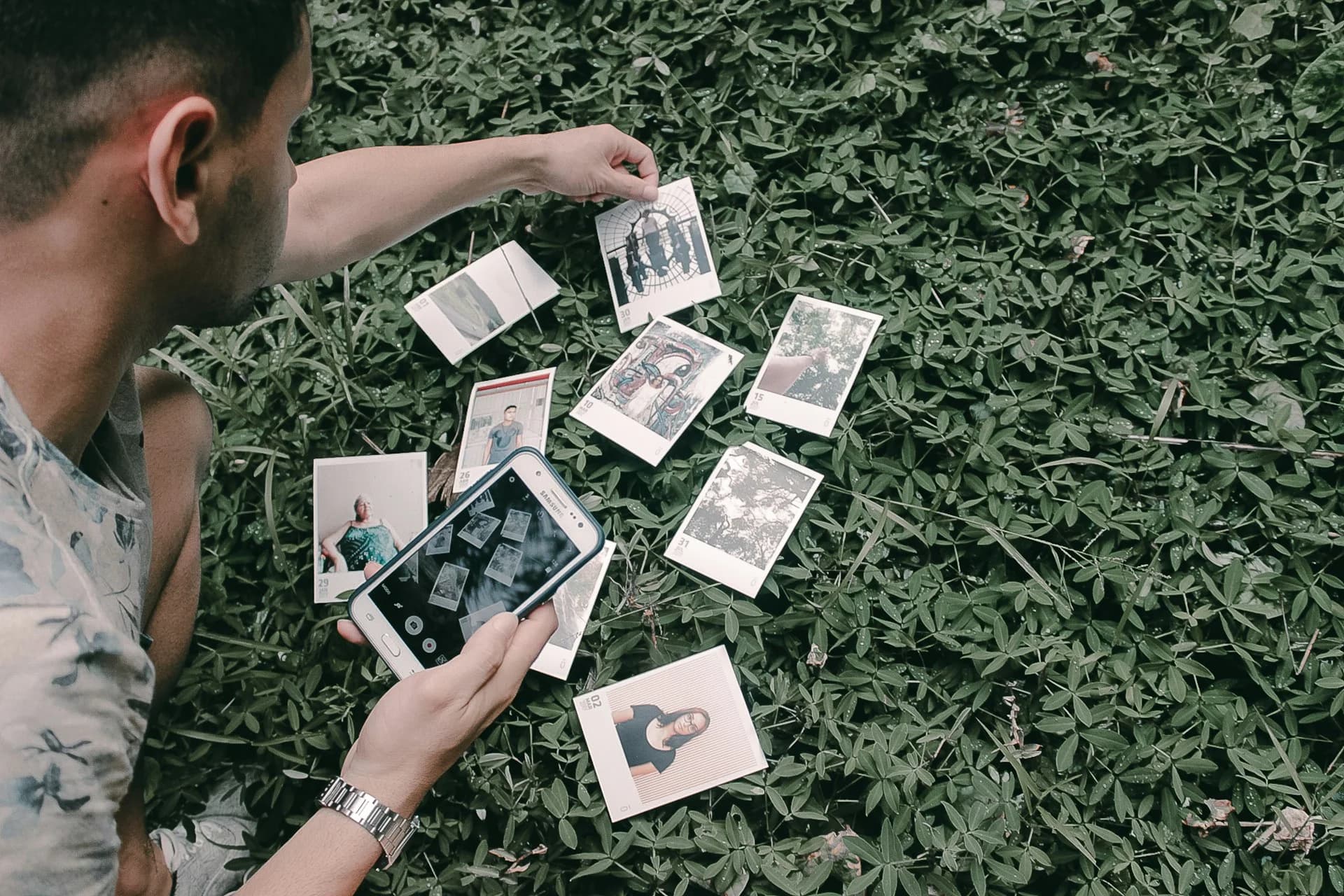
The main standout feature is multi-photo batch capture. Spread four to six loose prints on a flat surface, point the phone at them, and Photomyne detects each frame individually, crops and saves them separately. For a shoebox of loose prints, this dramatically speeds up the process. The AI enhancement tools, which include colorization of black-and-white photos, sharpening of faded images and glare correction, are genuinely useful and work well on typical family snapshots.
The catch is the business model. Photomyne is free to download and free to scan, but exporting images off the app back to your own camera roll requires a paid subscription: $19.99 per month, $59.99 per year or a one-time charge of $119.99 for 3-years (as of this review). They often run promotions, so you can occasionally get the app at a discount. Some users have been caught off guard by this Free-To-Try pricing after scanning large batches, finding their photos locked inside the app until they pay. App Store reviews reflect real frustration with how this is communicated. The subscription also auto-renews, and Trustpilot reviews show mixed experiences around cancellation.
Use the three-day free trial, scan a test batch, confirm the export quality meets your needs, then decide. For a large collection where you want AI-enhanced output, the annual cost likely makes sense. For a small one-time job, it probably does not.
At a glance: iOS and Android. 4.7 App Store / 4.2 Google Play. Updated May 2026. Free to scan, subscription required to export ($19.99/mo or $59.99/yr). Best for high-volume batch scanning with AI enhancement.
Google PhotoScan: Excellent Glare Removal, No Longer Maintained
Google PhotoScan built its reputation on one genuinely excellent feature: a multi-angle capture method that eliminates glare from glossy prints. You take four overlapping shots from slightly different positions, the app stitches them together, and the result is a glare-free scan that competing free apps rarely match. For glossy prints from the 1970s and 1980s, it remains one of the most effective zero-cost tools available.
The problem is that Google stopped developing it. The Android version was last updated in July 2023. There is no AI enhancement, no batch capture, no active bug fixing, and no sign Google intends to invest in it further. It still works for what it does, but it doesn't meet our maintenance threshold for either platform. It's also not available to install on newer Android phones or phones with the latest Android OS.
Many current "best apps" roundups list PhotoScan without disclosing this. A product in maintenance mode is not the same as an actively maintained one, and anyone building a serious scanning project on it is taking a modest risk that something will break without a fix coming. That said, for occasional scanning of glossy prints where glare is the primary problem and cost is a concern, it remains a workable free option with eyes open.
At a glance: iOS and Android. 4.07 Google Play. Last Android update July 2023. Free. Best for glare removal on glossy prints, small collections. Not actively maintained. Can't install on newer Android OS/phones.
Adobe Scan: Best Free Cross-Platform Option, With a Key Limitation
Adobe Scan is the highest-rated actively maintained cross-platform scanner on this list: 4.9 on the App Store, 4.7 on Google Play, and updated as recently as April 2026. It's free to download and free to use for basic scanning with an Adobe account, which is also free. The image quality is excellent, the automatic edge detection and shadow removal are among the best available, and the app is backed by a company that clearly intends to keep investing in it.
The important limitation for family photo scanning specifically is that Adobe Scan is built for documents. It saves scans as PDFs by default, optimized for text clarity rather than photographic detail. You can import and scan photographs, and the output quality is respectable, but the workflow and feature set are designed around document capture, not album digitization. There is no multi-photo batch detection, no colorization, and no photo-specific enhancement. If your collection is primarily documents, handwritten letters and individual photo prints, it handles all of those well. If you need to quickly work through a shoebox of loose prints, Photomyne is better suited to that job.
Adobe Scan also requires an Adobe account to save and access your scans. This is free to create, but the scans are stored in Adobe's cloud rather than going directly to your camera roll, which adds a step if you want files in a local folder.
At a glance: iOS and Android. 4.9 App Store / 4.7 Google Play. Updated April 2026. Free with free Adobe account. Best for individual photos, handwritten letters, and documents. Not ideal for high-volume photo batch scanning.
Pic Scanner Gold: Best One-Time Purchase, iPhone and iPad Only
Pic Scanner Gold earns its place on this list for one reason most competing apps cannot match: a single one-time purchase of $9.99 with no subscription (as of this review), no account required, no watermarks and no data leaving your device. Everything processes locally on your iPhone or iPad. It's been continuously updated since 2013, added an improved AI cropping engine in April 2026 feature updates and holds a 4.3 rating on the App Store.
The feature set is solid for the price: multiple photos captured per shot, 300 DPI output (higher than most competing apps manage), automatic cropping, basic editing tools, caption and metadata support, iCloud backup and export to any cloud service or device. For privacy-conscious users, the on-device processing is a genuine advantage over apps that upload your scans to external servers for cloud AI processing.
The hard limitation is platform: Pic Scanner Gold is iOS and iPadOS only. Android users cannot use it. It also lacks the AI colorization and face enhancement features built into Photomyne. But for an iPhone user with a moderate collection who wants a capable, no-subscription scanner that respects their data, it is one of the cleanest options available.
At a glance: iOS and iPad only. 4.3 App Store. Actively updated in 2026. One-time purchase, approximately $9.99. No subscription, no account, no cloud upload. Best for iPhone users who want full ownership of their scans without ongoing costs.
SwiftScan: Best General-Purpose Scanner for iPhone, Uneven on Android
SwiftScan is primarily a document scanner that handles photographs reasonably well. It's free to download, actively maintained (it shipped an update supporting iOS 26 Liquid Glass in 2026), and holds strong ratings on iPhone: 4.8 on the App Store. The automatic edge detection, five adjustable color modes, and export options covering most major cloud services make it a capable all-rounder for people who need to scan a mix of documents, letters and occasional photos from a single app.
The Android story is more complicated. SwiftScan's Google Play rating sits at 3.8, below the 4-star threshold for this guide, based on over 63,000 reviews. The gap between its iOS and Android ratings is significant and reflects genuine differences in the experience between platforms. iPhone users looking for a general-purpose scanner they can also use on old photos will find it reliable. Android users would be better served by Photomyne for photo-specific work or Adobe Scan for a cross-platform free option.
The advanced features, including an ad-free experience and unlimited scans, require a Pro subscription at $24.99 per year. The free tier is functional, but shows ads and has some limitations on export volume.
At a glance: iOS and Android. 4.8 App Store / 3.9 Google Play (below threshold on Android). Updated 2026. Free with ads; Pro at $24.99/yr. Best for iPhone users scanning a mixed collection of documents and photos. Not recommended as a primary choice for Android users.
Which One Fits Your Situation
Match Your Situation to the Right Tool
Small collection of matte prints, any phone: Use your phone's camera with diffused natural light. No app needed.
Glossy prints with glare, small volume, cost is the priority: Google PhotoScan. Free and effective, just not actively maintained.
Large collection of loose prints, iOS or Android: Photomyne. Confirm you are comfortable with the subscription model before scanning at scale.
Mix of photos, letters, and documents, any platform, free: Adobe Scan. Not built for batch photo scanning, but genuinely strong for individual prints and documents.
iPhone user, no interest in subscriptions: Pic Scanner Gold. One-time cost, everything stays local, actively maintained.
iPhone user who also scans documents regularly: SwiftScan. Strong iOS experience across mixed content types.
Photos bound tightly in a deteriorating album: Phone camera or a flatbed scanner. App-based scanning of curved album pages produces inconsistent results no matter which app you use.
The Thing Every App Gets Wrong
Every app on this list will produce a digital file. None of them will tell you who is in the photo, when it was taken or why it mattered. That information lives in the memories of people who are still around to share it, and it disappears independently of whether the photo gets scanned.
Add context as you go. For every photo you digitize, note what you know in the caption field: names, approximate decade, occasion. A labeled scan is worth ten times an unlabeled one. And if the project centers on a specific person, a parent or grandparent whose photos you are working through, that is exactly the kind of focused preservation that My Family Story Vault is built around. Each Tribute page centers on one person, and multiple family members can contribute photos, voice recordings and the stories that give them their meaning. The scanning app gets the photo off the print. The Tribute is where it finds its context.
Pick the tool that fits your platform and your collection size, and start with one box. The best scanning setup is the one you actually use.
You've Scanned the Photos...Now What?
Create a Tribute page with a shared digital archive where you and your family can collectively upload your scanned photos, annotate and add the details behind the images, then share these family stories across the generations.
✨ Join thousands preserving family stories • 🔒 Secure & Private
🆓 Start Today