How Do I...Record and Preserve Old Voicemails, Video and Audio Messages
A voicemail becomes sacred after someone passes. This guide teaches you how to preserve voicemails before deletion, screen record video messages, save audio notes from apps, and back up voice recordings for future generations using cloud storage and the proven 3-2-1 backup method.
Recording and Preserving Voicemails, Videos and Audio Messages From Loved Ones
There's something about hearing someone's voice that photographs can't capture. The way your father laughs. The cadence of your grandmother's speech. The tiny sound your nephew makes when he says your name. These aren't just recordings. They're time capsules. They're the closest thing we have to bringing someone back.
Yet most of us let these recordings disappear. A voicemail from a loved one gets deleted to make space. A video message sent via text gets archived where it's forgotten. Audio recordings of family stories live on a phone we might replace in a year. We don't think about preserving them because they feel permanent. They're right there in our devices.
Until the day they're not.
Why Capturing Voice Matters (Distinct From Words)
If someone writes down your mother's story, you get information. If you record her telling the story, you get your mother back. You get her personality. You get the pauses where she remembers something difficult. You get the warmth in her voice when she talks about your father. You get the way she laughs at her own jokes.
A transcript can convey facts. A recording conveys humanity. Your kids will read through written family history and learn about their ancestors. But when they hear their great-grandmother's voice, something shifts. That person becomes real. Three-dimensional. Irreplaceable.
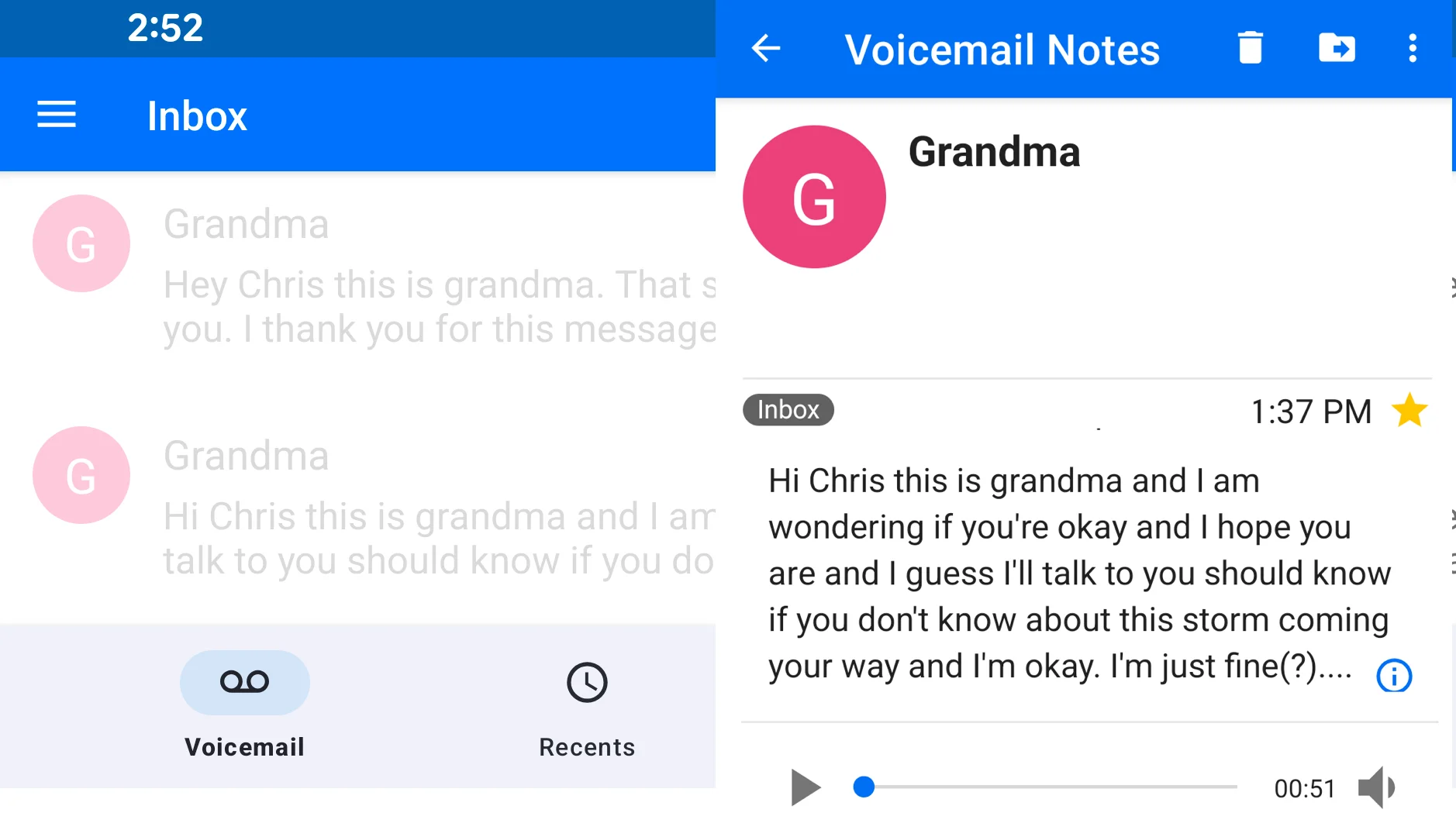
This is why so many people describe listening to a deceased parent's voicemail as a profound experience. Not because the voicemail contains important information (it rarely does). But because it's them. It's their voice. It's evidence they were here, they existed, they had a particular way of being in the world.
Voice recordings are genealogy with soul. You can learn your family tree from an ancestry site. But you understand your family from hearing them speak.
Recording Voicemails Before They're Deleted
Most of us have received voicemails we wanted to keep. Your mom calling to check on you. Your dad leaving detailed directions in his characteristic way. Your grandmother saying she loves you. These messages tend to accumulate until your voicemail box is full, then you delete the oldest ones to make space for new messages.
By the time someone passes away, their voicemail is gone. Your phone's voicemail service deletes it automatically after a period of time, or it's lost when you change providers or devices. That voicemail can't be recovered. It's just gone.
The answer to recording voicemails is surprisingly simple, though the process varies depending on your phone type.
For iPhone Users
Open the Voicemail app. Find the voicemail you want to keep. Press and hold the message (don't tap to play it). You'll see options including "Share." Tap Share. You can send the voicemail via email, AirDrop, or message. The simplest option is to email it to yourself. This exports the voicemail as a playable audio file that won't disappear from your voicemail service.
Create a folder in your email called "Precious Voicemails" or similar. Save all the voicemails you want to keep there. They're now backed up and can be downloaded to your computer or cloud storage.
For Android Users
The process depends on your voicemail service and phone. Google Voice (which many Android users have) stores voicemails digitally. You can access Google Voice through your browser, find voicemails you want to keep, and download them as MP3 files. You can also transcribe them automatically.
For traditional voicemail through your carrier (T-Mobile, Verizon, AT&T, etc.), options are more limited. Some carriers allow you to save or forward voicemails. If your voicemail app has this option, use it. Otherwise, call customer service and ask how to preserve voicemails. Many carriers have options you don't know about.
The Screenshot/Screen Record Alternative
If you can't find an export option, you can use your phone's screen recording feature to capture the voicemail as you play it. Open your voicemail, start a screen recording, play the message on speakerphone, and stop the recording when the message ends. It's not elegant, but it works. You now have a video file with the audio.
Pro tip: Turn on speakerphone first, then start recording before you tap play, so you capture the full message without cutting off the beginning.
Screen Recording Video Messages
Video messages sent via text, WhatsApp, Facebook, or other apps have the same preservation problem as voicemails. They're temporary by default. Your app might delete them automatically. You might change devices or switch platforms. The message stays on the sender's device, but your copy disappears.
Video messages from loved ones are especially worth preserving. A quick video from your aunt saying she loves you. A message from your grandfather before he passed. A video of your child saying goodnight to a great-grandparent. These moments are too valuable to lose.
The Screenshot and Screen Recording Method
The simplest way to preserve video messages is to screen record them as they play. Open the message. Start recording your phone screen. Play the video. Stop recording when it ends. The video is now saved as a file on your phone that you control.
This maintains the original quality reasonably well and captures everything the original message contained. You can then save this file to cloud storage, email it to yourself or back it up to an external drive.
In-App Download Options
Some platforms offer download or save options. WhatsApp allows you to save videos to your phone's camera roll. Facebook allows you to download messages you've sent or received in some cases. Telegram explicitly supports saving media. Check the settings of whatever platform you use. The button might be labeled "Save," "Download," or "Keep in library."
Important note: Always ensure you're respecting the sender's privacy and wishes. If someone sent a personal video message, they may not want you to redistribute it. Preserve it for your own access and family use, but don't post it publicly without permission.
Audio Message Apps (WhatsApp, Voice Notes, Voice Messages)
Beyond traditional voicemails, people record quick audio messages through various apps. WhatsApp voice messages. Voice memos in iMessage. Voice notes in Instagram direct messages. These spontaneous audio messages often capture personality better than formal voicemail. Your uncle rambling about something funny. Your cousin sharing news. Your parent saying goodnight.
These messages are even more temporary than voicemails. They're tied to apps and services that change constantly. If you leave WhatsApp, those voice messages are gone. If the app deletes old messages automatically, they're gone. If the person who sent them deletes their copy, it's gone.
Saving Directly From Apps
Most messaging apps have a save or download function. In WhatsApp, tap and hold an audio message, then choose "Save" or "Download." In iMessage, tap and hold to see options like "Save." These functions save the audio file to your phone's file system, removing its dependence on the app.
Once saved, these files can be organized and backed up like any other file. Create a folder labeled "Audio Messages From Loved Ones" or "Family Voices." Store recordings by person and date. Back them up to cloud storage.
Screen Recording If No Direct Option Exists
If an app doesn't offer a save function, you can screen record as the message plays. Open the message, start a screen recording, play the audio, stop the recording. The file is saved. It's not as clean as a direct export, but it preserves the audio.
Converting Old Phone Recordings to Digital Format
You might have voicemails, voice memos or audio messages that have been sitting in your phone for years. These are fine as long as your phone keeps working and the service keeps supporting them. But they're fragile. Moving to a new phone means migrating them. Changing carriers means potential loss. Phones break.
The safest approach is to convert these to standard digital files that aren't tied to any specific device or service.
Exporting From Your Phone
Most phones allow you to export stored audio files. If you have voice memos saved, you can email them to yourself or upload them to cloud storage. If you have voicemails, use the export process described earlier in this article.
Once exported, you have standard audio files (usually MP3 or similar format) that can be played on any device and won't degrade or disappear.
Organizing for Long-Term Access
Create a simple folder structure: Family Audio / [Person's Name] / [Year-Month] - [Description].
Example: Family Audio / Grandpa Bill / 2021-02 - Birthday Message
This naming system makes files easy to find years later and prevents them from being accidentally deleted or lost in chaos.
Backup and Storage for Audio Files
Audio files are small. A 5-minute voice message is only 1-5 MB depending on quality. An hour-long recorded conversation is 50-100 MB. This means you can easily store hundreds of hours of audio in the cloud for virtually free. There's no excuse for losing voice recordings due to storage limitations.
Cloud Storage Options
Google Drive: Free tier includes 15 GB of storage. Enough for thousands of voice recordings. Easy to organize and share with family.
OneDrive: Microsoft offers 5 GB free, with upgrade options. Similar functionality to Google Drive.
iCloud: If you use Apple products, 5 GB is free. Integrates seamlessly with iPhone and Mac.
Dropbox: 2 GB free, with generous upgrade options. Known for reliability.
The 3-2-1 Backup Method
For audio recordings you consider truly irreplaceable, apply the 3-2-1 backup rule: keep 3 copies, on 2 different media types, with 1 stored offsite.
Copy 1: On your phone (original location)
Copy 2: In cloud storage like Google Drive (automatic sync or manual upload)
Copy 3: On an external hard drive stored somewhere other than your home (a relative's house, office, safety deposit box)
This level of protection might seem excessive for voice messages, but consider what you're protecting: the irreplaceable voice of someone you love. It's worth the small amount of effort to ensure it survives any single point of failure.
Emotional Considerations: Recordings of Deceased Loved Ones
There's also something uniquely painful about hearing the voice of someone who has died. But for many people, it's also uniquely precious. A voicemail from your father becomes a treasure after he passes. You don't call to delete it. You call to listen to it. To hear him say "Hi, it's Dad" one more time.
If you have recordings of someone who has passed away, you have a responsibility to preserve them. Not just for yourself, but for future generations. Your kids might want to hear their great-grandfather's voice someday. Your cousins might want a copy of their parent's last recorded message. These become family heirlooms.
Handling the Emotional Weight
Organizing and preserving voice recordings can trigger grief. You're listening to someone who's no longer here. You're acknowledging their absence while trying to preserve their presence. This is tender work.
Give yourself permission to do it slowly. You don't need to organize and back up every recording in one sitting. Listen to them when you're emotionally ready. Some people find it healing to do this work regularly, as a way of staying connected. Others need years before they can listen without pain. Both are okay.
If you're doing this work for a deceased parent, consider involving other family members. Listening together can be cathartic. Sharing recordings can help siblings or cousins feel connected to someone they've lost. And it distributes the responsibility so one person isn't solely protecting these precious files.
Using Voice Recordings in Memorial Services and Celebrations
Preserved voice recordings have practical uses beyond private listening. They can become part of memorial services, family celebrations and documented family history.
Funeral and Memorial Services
Playing a recording of the deceased person's voice at their funeral or memorial service creates a powerful moment. They're speaking to the gathering. They're present in the room. Many families find this to be meaningful and comforting. If you have recordings of someone who has passed, ask the family if they'd like to include them in any memorial service.
Birthday Videos and Holiday Messages
If you recorded an aging parent or grandparent saying happy birthday, or recorded them saying a message for a distant relative's wedding, these recordings can be played at the actual event. The person's voice is there. They're participating even if they couldn't attend in person.
Family History Documentation
Audio recordings of family stories become invaluable documentation. Include them as part of your family history archive. Transcribe key recordings so they're searchable. Create playlists: "Grandpa's Stories," "Dad's Voice Messages," "Family Recipes Explained." Over time, you build a collection that tells your family's story in their own voices.
Sharing With Distant Relatives
If you've recorded a family member's stories or messages, consider sharing the files (with permission) with relatives who couldn't hear them directly. A cousin who moved away might treasure a voice message from a shared parent. Extended family might want to hear an elder's recorded stories. Digital distribution makes this effortless.
Privacy note: Always ask permission before sharing someone's voice recording, especially if it's a personal or intimate message.
Starting Your Voice Archive This Week
You probably have voicemails and voice messages right now that you want to preserve. Start with those. Spend an hour this week:
Go through your voicemail app and identify 5-10 messages you want to keep
Export them using the method appropriate for your phone type
Create a folder in cloud storage called "Family Voices"
Upload the files and organize them by person and date
That's it. You've started preserving voices. From here, it's incremental. Add new messages as you receive them. Ask aging relatives to let you record messages for your archive. Listen to the ones you've saved.
A question worth asking today:
Is there a voicemail, voice message, or video message from a loved one that you're afraid of losing?
Preserve it today. Your future self will be grateful.
Bringing Voice and Images Together: A Complete Family Story
While preserving voice recordings individually is a crucial first step, real magic can happen when you combine audio with family photos. A recording of your grandmother telling a story becomes infinitely more powerful when paired with photographs from the moment she's describing. A video message becomes a family heirloom when it's organized alongside photos of the person speaking and the people they're addressing.
This is where a dedicated family story platform makes all the difference. Rather than scattered audio files in multiple cloud folders and photos in different albums, a unified family archive lets your entire family contribute to and access one cohesive collection. Your aunt can upload voice recordings of family stories. Your cousin can add photographs from family gatherings. Your siblings can add video messages for aging parents. Everyone contributes to one growing, organized library of your family's memories.
My Family Story Vault allows unlimited family members to collaborate on a loved one's Tribute page with a single subscription. One person manages the tribute account, but everyone participates in building it. Voice recordings can be added to relevant photos to create a narrated slideshow. Add to the story with details about when and where the recording took place to give context. Then share it on your loved one's Tribute page under a specific life milestone so your entire family can discover and watch/listen to it whenever they wish. Your family's voices and images exist together, making each one more meaningful than it could be alone.
The result isn't just a collection of files. It's a living family history where voices and faces tell your story together. Where future generations can hear their great-grandparents speak while looking at photos of the lives they lived. Where scattered memories become a coherent narrative of who your family is and where you come from.
It's Easy to Start Preserving Your Family Stories
You can invite your family to help contribute for free!
✨ Join thousands preserving family stories • 🔒 Secure & Private
🆓 Start Today